The VoiceOver Community
  • Community
    • Home
    • About
    • Members
    • Membership & Account
    • General Rules
    • Newsletter Signup
  • Community Magazine
    • Front Page
    • Features
      • VO Coach Notes
    • Podcasts
  • Learning Lounge
    • Learning Lounge
    • Marc Preston’s Voiceover Workout
  • Social Lounges
    • Community Lounge
    • Local Lounges
  • Showcase & Casting
    • Talent Showcase
    • Casting Call
  • Resources
    • Community Calendar
    • Resource Directory
    • Studio Finder
  • Studio & Gear
    • Gear Exchange
    • B&H Gear Store
  • Community
    • Home
    • About
    • Members
    • Membership & Account
    • General Rules
    • Newsletter Signup
  • Community Magazine
    • Front Page
    • Features
      • VO Coach Notes
    • Podcasts
  • Learning Lounge
    • Learning Lounge
    • Marc Preston’s Voiceover Workout
  • Social Lounges
    • Community Lounge
    • Local Lounges
  • Showcase & Casting
    • Talent Showcase
    • Casting Call
  • Resources
    • Community Calendar
    • Resource Directory
    • Studio Finder
  • Studio & Gear
    • Gear Exchange
    • B&H Gear Store

Tag: Audacity

Audacity Effects for Voice- Dynamics, EQ and NR 2024

Learn the best free processing tools for Audacity for voice acting and podcasting, including Nyquist and Muse Effects!

George delves into the intricacies of using Audacity’s effects for voice dynamics, EQ, and noise reduction in 2024. The webinar covers why effects matter, introduces Audacity and its plugins, and provides recommended preferences for ease of use. George highlights new features in Audacity 3.7, compares native and Nyquist plugins, and explores OpenVINO AI-powered plugins. Key topics include dynamics effects, EQ techniques, noise reduction essentials, mouth noise declicking solutions, and combining effects in a macro. Also included is a practical demonstration using a sample WAV file from a participant, illustrating the impact of each effect and culminating in the creation of an efficient macro for audio processing.

Audacity, known for its simplicity and powerful features, is the perfect tool to bring professional-level sound to your projects—without breaking the bank. With George leading the way, you’ll discover how its intuitive interface and built-in effects make learning and applying advanced techniques both accessible and fun. This webinar isn’t just about theory; it’s a hands-on exploration of practical workflows and insider tricks to enhance clarity, balance levels, and eliminate unwanted noise. You’ll hear these tools in use and learn What It’s Supposed To Sound Like!

Prerequisites:

  • Currently an Audacity user with some basic experience, or…
  • Take our Audacity for Beginners course
  • Windows or Mac user

Agenda:

  • Introduction and Agenda Overview
  • Importance of Effects Processing
  • Audacity Preferences and Setup
  • Exploring Audacity Plugins
  • Dynamics Effects and Practical Demonstration
  • Understanding EQ and Choosing the Right Tools
  • Troubleshooting Audio File Issues
  • Dealing with Plugin Scanning in Audacity
  • Exploring Noise Reduction Techniques
  • Using Noise Gates and High Pass Filters
  • Mouth Noise and Repair Tools
  • Comparing Compressors: Audacity vs. MuseFX
  • Applying EQ: Graphic vs. Filter Curve
  • Exploring Filter EQ and Graphic EQ
  • Noise Reduction Techniques
  • Applying Noise Reduction in Audacity
  • Advanced Noise Reduction Tips
  • Combining Noise Reduction and Noise Gate
  • Using De-clicker and De-esser
  • Building the Ultimate Macro
  • Final Adjustments and ACX Check
  • Q&A and Closing Remarks

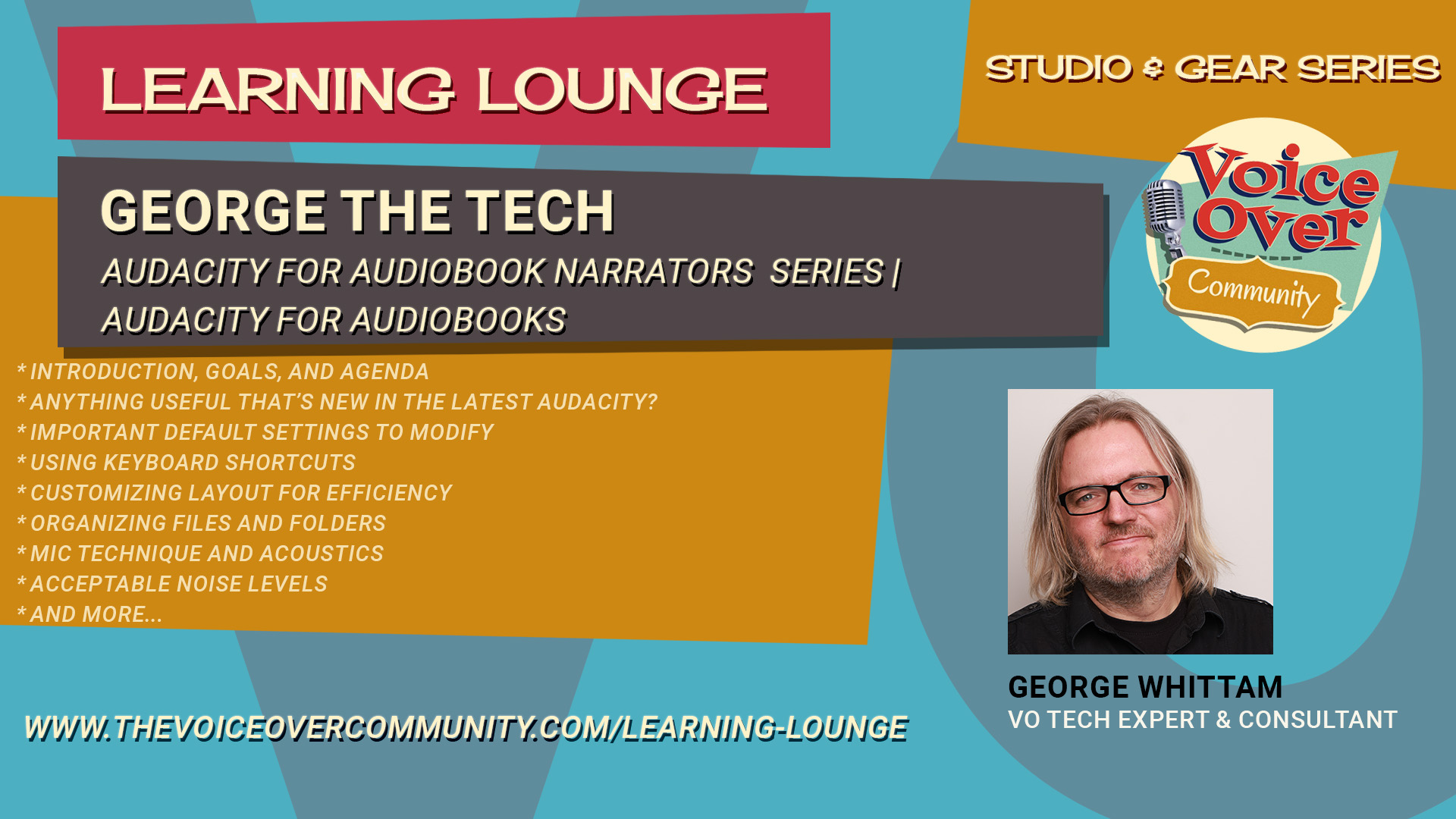
Audacity for Audiobooks

Optimize your ACX audiobook narration and production workflow with George Whittam! 

Audiobook narration for ACX can be arduous, with long days in the booth, and even longer days editing. Add to that sometimes-tight deadlines for publishers and it can be daunting to keep up! George Whittam has methods to record, edit, proof, and master an audiobook recording that will maximize your productivity, and minimize errors and audio flaws. 

Prerequisites:

  • none

Agenda:

  • Introduction, Goals, and Agenda
  • Anything useful that’s new in the latest Audacity? 
  • Important default settings to modify
  • Using keyboard shortcuts
  • Customizing layout for efficiency
  • Organizing files and folders
  • Mic technique and acoustics
  • Acceptable noise levels
  • Setting the best recording levels (then forget it!)
  • Recording techniques: Straight record, clicker, Punch and Roll and Punch-in Insert
  • Processing plugins to remove noises: Mouth, equipment, and environmental 
  • The QRX sheet, keeping track of corrections (template provided) 
  • Working with a proofer
  • Editing in pickups
  • Mastering workflows
  • Mastering to publisher specs with Macros (Starter Macro provided)
  • VIP Q&A
Register Forgot PasswordResend activation code
Sponsored Content
Sponsored Content

Recent Posts

  • It’s Not About The Voice Talent
  • What’s Old is New Again
  • The Myth of The Gatekeeper
  • AI: An Opinion
  • You Are Your Greatest Investment
Sponsored Content

Community Hashtags

#adminnotes #thevocommunity #vocoach #voiceacting #voiceactor #voiceover #voiceovercoach #voiceovers #voiceovertalent #voicetalent #volife #votalent
Sponsored Content

Online Members

Sponsored Content

Archives

Recent Learning Lounge Courses
Adobe Audition for Audiobooks 2024

Adobe Audition for Audiobooks 2024

1
2h 15m
George Whittam
By George WhittamIn Gear & Studio Design
$59.00
Add to cart

Latest Members

Sponsored Content

Community Calendar

Latest Gear Listings

Sample Posting
Honolulu, HI 96795
$7,000,000.00
Sponsored Content

Community Posts By Date

May 2026
MTWTFSS
 123
45678910
11121314151617
18192021222324
25262728293031
« May    
Sponsored Content

Advertising

  • Advertising Inquiry
  • Community Calendar
  • Gear Exchange

Support

  • About
  • FAQ
  • Contact

Community Policies

  • General Rules
  • Privacy Policy
  • Cookie Policy
  • Terms and Conditions
The VoiceOver Community, LLC
© 2019-2026 | The Voiceover Community, LLC | All rights reserved